Built for every save-it-later moment

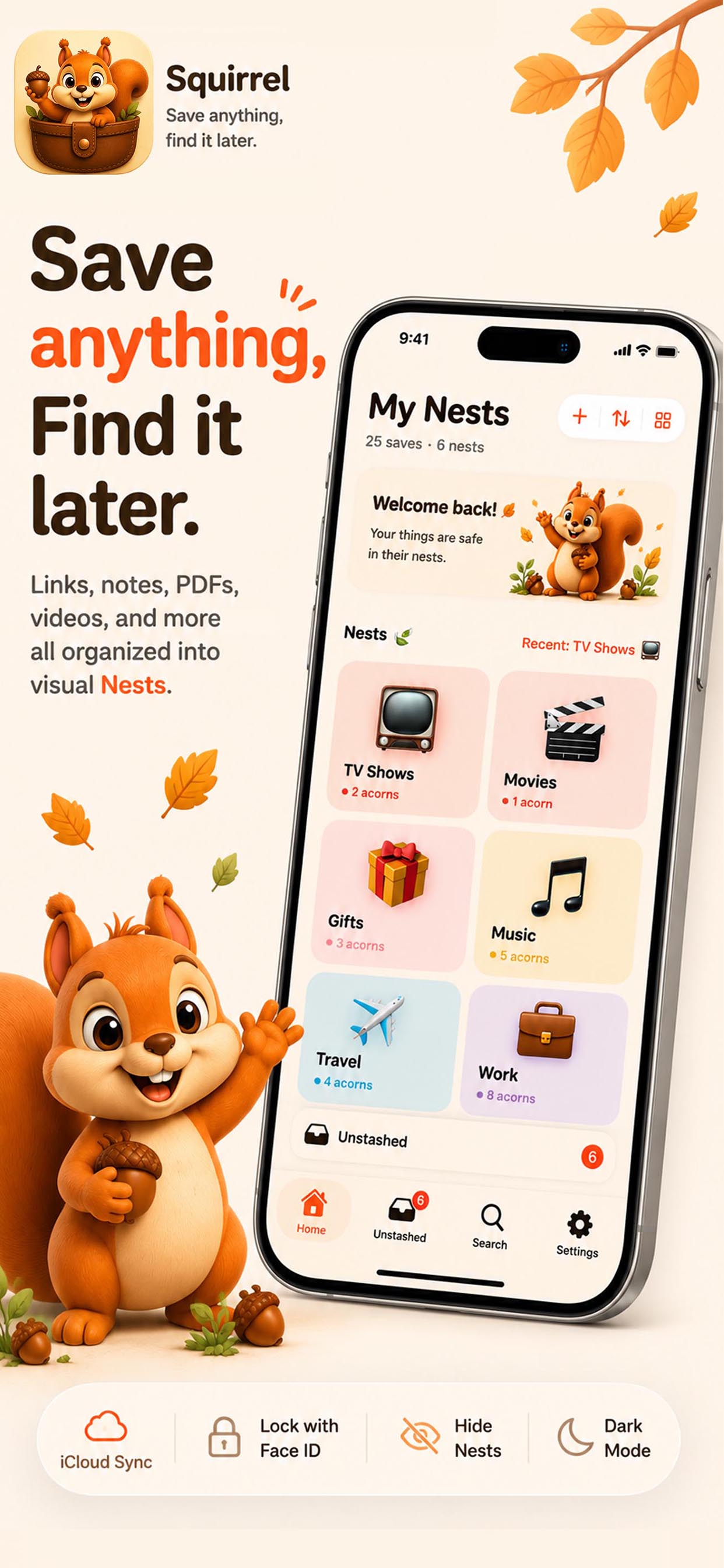
Save anything. Find it later.
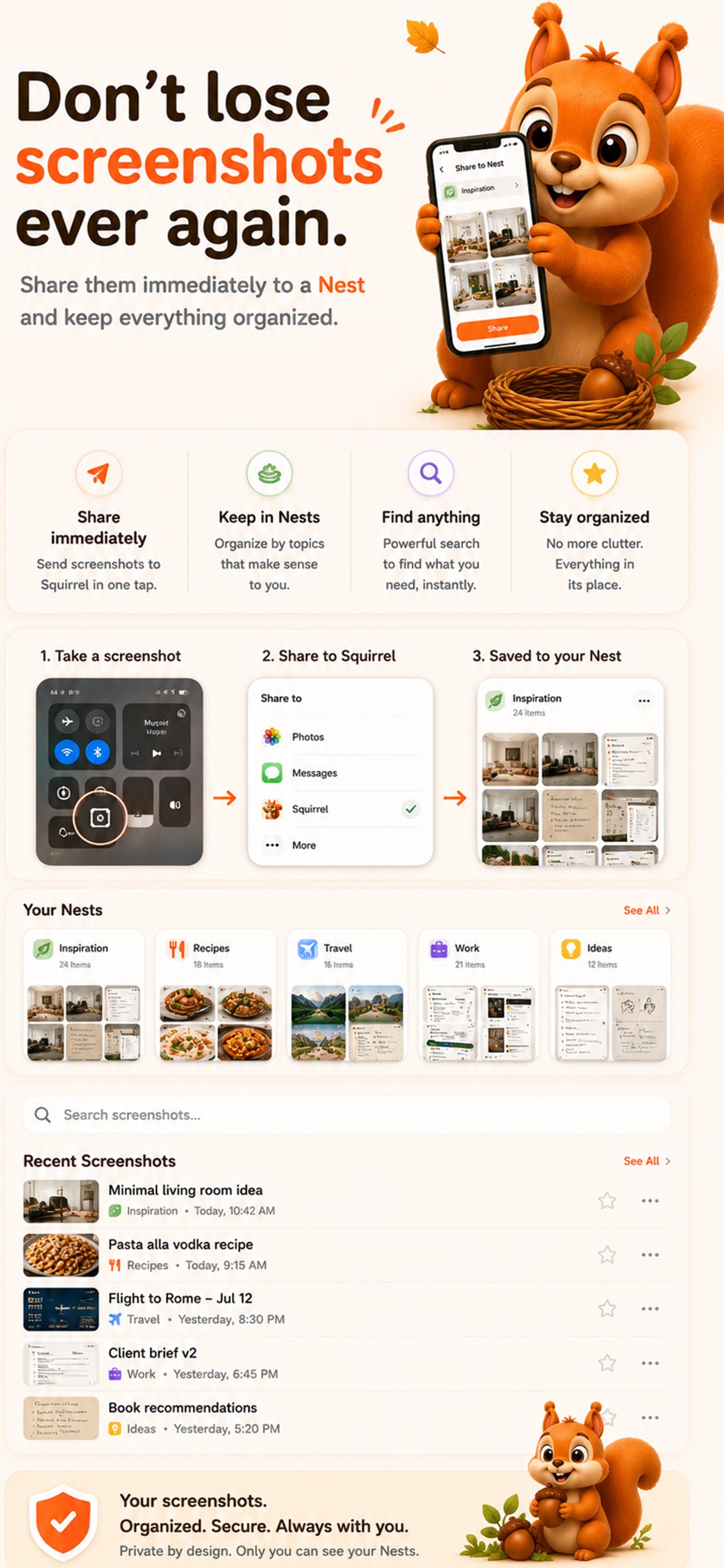
Links, notes, images, PDFs, videos, and documents saved from any app into visual Nests with the iOS Share Sheet.

Native iOS
iCloud sync
No subscription
Squirrel App Store screenshot showing the My Nests home screen and save anything message

Home

The problem

Stop losing things you already saved.

Squirrel gives screenshots, links, notes, PDFs, videos, and documents a visual home, so your saved things stop disappearing into random apps.

Camera rolls turn into junk drawers

Screenshots are fast, but they bury recipes, products, and ideas beside everything else.

Tabs remember less than you do

Useful links get left open, refreshed away, or lost inside a browser pile you never revisit.

Notes lose the surrounding story

A pasted URL or half sentence rarely tells you why the thing mattered in the first place.

Files scatter everywhere

PDFs, videos, audio, and documents are hard to find later when every app keeps its own stash.

How it works

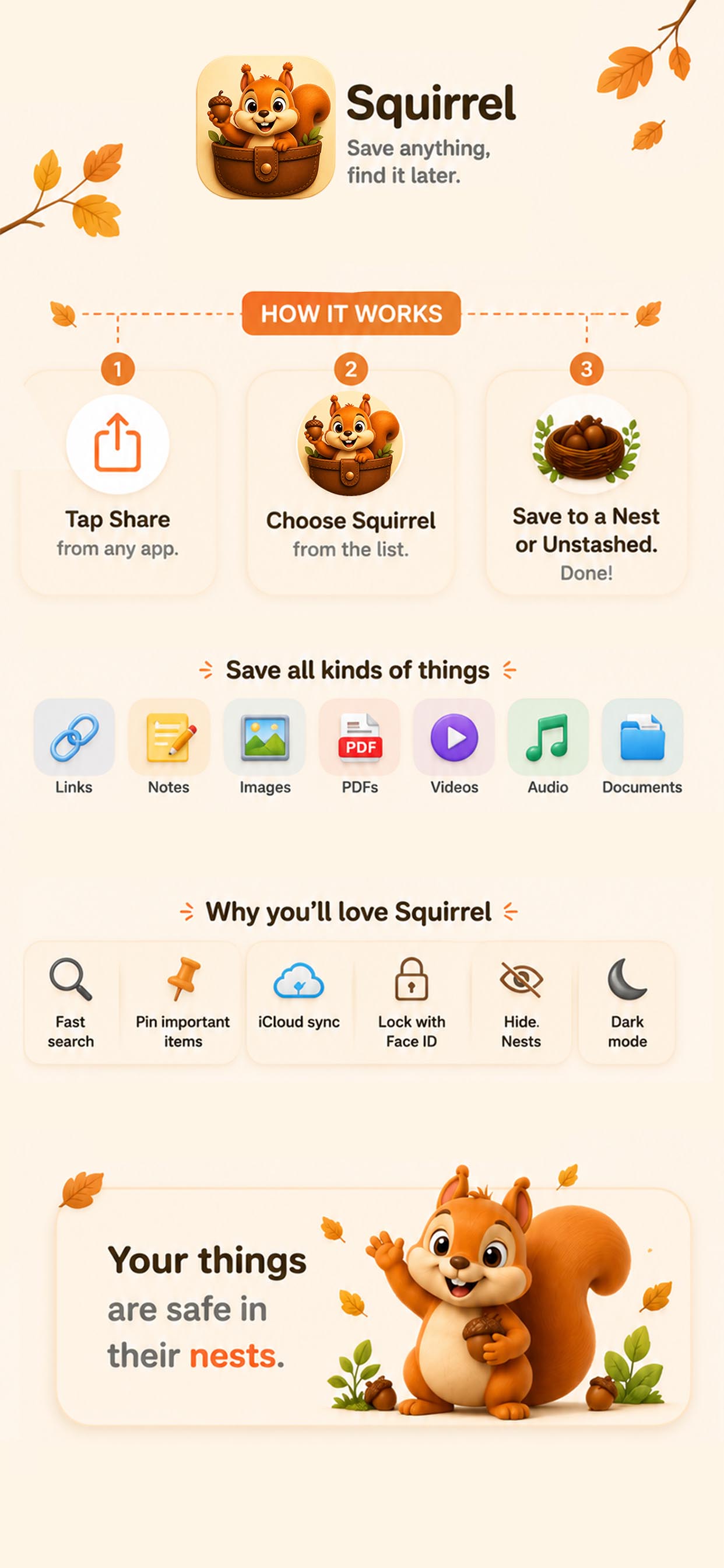
Three taps from chaos to cozy.

1

Tap Share from any app

Find something worth keeping in Safari, Photos, Files, Messages, or wherever your day takes you.

2

Pick a Nest or use Unstashed

Send the save straight into Recipes, Ideas, Travel, Shopping, or let the inbox hold it for later.

3

Find it with visual categories

Search, browse, pin, and return to the right Acorn when your future self needs it.

Features

Little details for big save piles.

Squirrel turns saving into a habit that stays lightweight, visual, and easy to trust.

Visual Nests

Give every topic a recognizable home with warm, glanceable categories.

Unstashed inbox

Save quickly now and sort later when you have a calmer minute.

Save from any app

Use the iOS Share Sheet to tuck away links, files, media, and notes.

Link previews and metadata

Keep titles, context, and previews so saved links make sense at a glance.

Pinned acorns

Keep important saves at the top of a Nest for instant return trips.

Search and quick access

Find the thing by memory, category, file type, or the words you remember.

iCloud sync

Keep your personal library available across your Apple devices.

Face ID locked nests

Protect private collections with a familiar iOS security layer.

Hidden nests

Move sensitive or seasonal collections out of sight until you need them.

Dark mode

A cozy black interface for late-night saving and low-light browsing.

What you can save

If iOS can share it, Squirrel can give it a Nest.

Links

Articles, products, posts, recipes, and rabbit holes.

Notes

Tiny thoughts with enough context to matter later.

Images

Inspiration, screenshots, receipts, and references.

PDFs

Menus, forms, guides, tickets, and manuals.

Audio

Voice memos, clips, and sounds worth keeping.

Video

Clips, tutorials, ideas, and memories.

Documents

Files from iCloud Drive, Files, and other apps.

Made for real life

For people who save first and sort second.

"Finally, one place for the recipe, the note, and the PDF that came with it."
"A calmer way to keep tiny useful things without turning my camera roll into storage."
"The Nest idea makes my saves feel visual instead of buried in a list."
"One-time Pro is exactly how a personal utility app should feel."

Pricing

Start small. Go unlimited when your Nests fill up.

Squirrel keeps the basics free, then unlocks a lifetime Pro upgrade when you are ready for a bigger burrow.

Free

A tidy starter home for your saves.

$0

  • โœ“10 Nests
  • โœ“100 Acorns
  • โœ“Core saving features
No subscription

Squirrel Pro

One purchase for the heavy savers.

$9.99

one-time

  • โœ“Unlimited Nests
  • โœ“Unlimited Acorns
  • โœ“Hide nests
  • โœ“Lock nests with Face ID
  • โœ“Founder's badge

Privacy and trust

Personal organization should stay personal.

Squirrel is a native iOS app designed around iCloud sync, familiar device security, and fewer account hoops than a productivity tool should require.

Read the Privacy Policy
Native iOS app
iCloud sync
No unnecessary accounts
Built for personal organization

FAQ

The tiny details before you start stashing.

What is a Nest?+

A Nest is a visual category for the things you save, like Recipes, Ideas, Travel, Shopping, or anything else you want to keep together.

What is an Acorn?+

An Acorn is one saved item inside Squirrel. It can be a link, note, image, PDF, audio clip, video, or document.

What happens if I do not choose a Nest?+

Squirrel places the save in Unstashed, a simple inbox for anything you want to sort later.

Is Pro a subscription?+

No. Squirrel Pro is planned as a $9.99 one-time purchase with unlimited Nests and Acorns.

Can I save PDFs and videos?+

Yes. Squirrel is designed for links, notes, images, PDFs, audio, video, and documents.

Does it work from the Share Sheet?+

Yes. The core flow is to tap Share in another iOS app, choose Squirrel, pick a Nest, and move on.

Ready when you are

Start saving like a squirrel.

Give your tabs, screenshots, notes, files, and ideas a place to come home to.

Download on the App Store